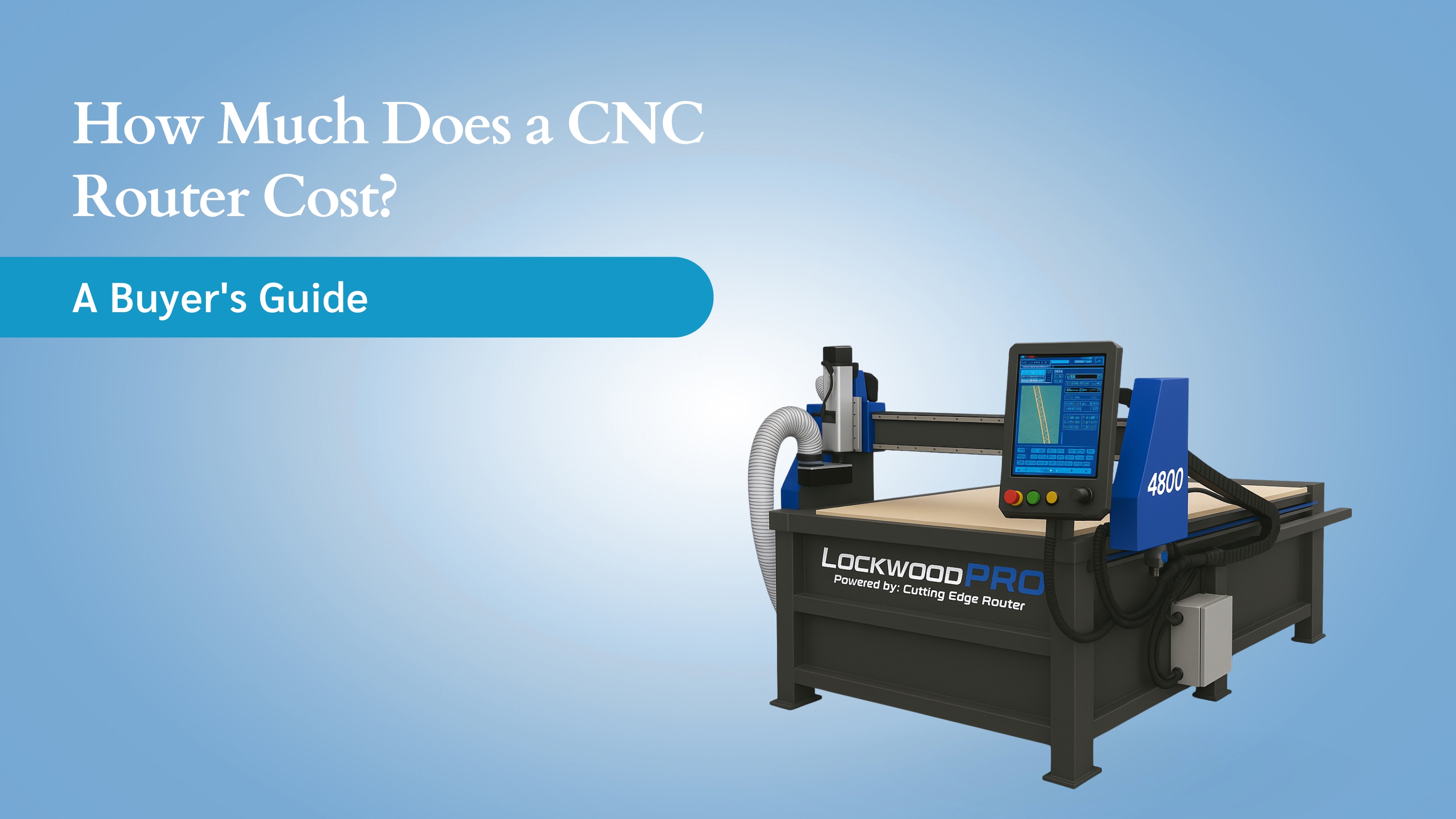
If you’ve been researching CNC routers for even five minutes, you’ve probably run into the same confusion everyone faces: Why does one machine cost $1,000 while another pushes $150,000? They look similar in photos, they all promise precision cutting, and every manufacturer claims theirs is “the best value.”
That’s where most get stuck, especially when trying to decide whether a hobby router, a small-shop machine, or a full industrial system is actually worth the investment.
And without clear guidance, it’s easy to overspend, underspend, or choose a router that doesn’t match the materials or workload you really have.
This guide breaks down CNC router cost in simple, practical terms so you know exactly what to expect, what really drives the price, and how to choose the right machine for your workflow, without wasting money on features you don’t need.
Key Takeaways
Clear Price Snapshot: CNC routers range from $1,000–$150,000+, depending on size, spindle power, rigidity, controller quality, and features like ATC or vacuum tables.
Cost Drivers Explained: The biggest factors affecting CNC router cost are table size, motor type (stepper vs servo), software/controller, frame strength, and add-ons — not brand names or marketing claims.
Segment-Specific Pricing: Hobby routers cost $1k–$3.5k, small-shop routers $5k–$18k, and industrial CNC router prices typically fall between $20k–$75k+, depending on production demands.
Total Cost of Ownership Matters: Beyond purchase price, expect added expenses for tooling, software, maintenance, electrical setup, and dust/fume systems, the real long-term cost most blogs skip.
Router vs Plasma for Metal: If you’re cutting steel, stainless, or thicker aluminum, a CNC plasma table (like CEP’s systems) is usually more cost-effective than an industrial router, with lower upfront cost and faster metal throughput.
How Much Does a CNC Router Cost?
If you’re comparing CNC router prices, here’s the fast, no-fluff breakdown:
Hobby CNC routers: $1,000–$3,500
Small-shop CNC routers: $5,000–$18,000 \
Industrial CNC router price: $20,000–$75,000+
Large/custom CNC routers: $80,000–$150,000+
These ranges shift based on table size, spindle power, frame rigidity, drive system (stepper vs servo), controller/software, and optional features like vacuum tables, ATC (automatic tool changers), and enclosures.
The 7 Key Factors Affecting CNC Router Cost
CNC routers don’t have complicated pricing by accident; their cost is shaped by a handful of core features that directly impact performance, accuracy, and lifespan. Here are the factors that move the price the most.
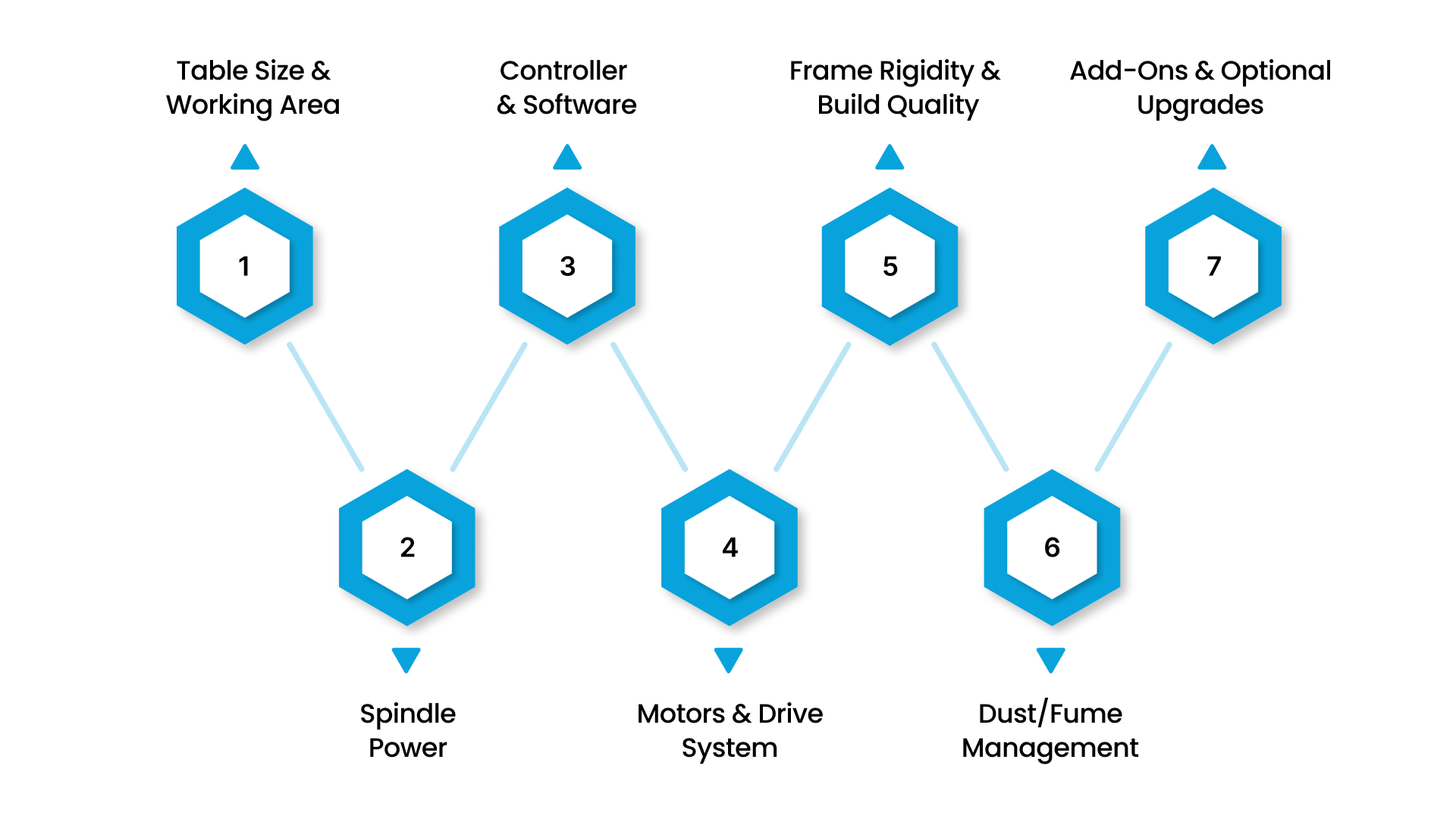
1. Table Size & Working Area
The larger the cutting area, the more expensive the machine.
A 2x2 or 2x4 hobby router sits at the low end, while 4x8 and 5x10 tables dominate the mid-to-high range.
Bigger tables = heavier frames, larger gantries, more powerful motors → higher cost.
2. Spindle Power (What It Can Actually Cut)
Spindle horsepower determines what materials you can cut and how quickly.
1–2 HP: Wood, plastics, foam
2–4 HP: Hardwood, thicker plastics
5+ HP: Aluminum, composites, production environments
Higher-power spindles require stronger motors, better cooling, and more robust electronics, all of which raise the price.
3. Controller & Software
The controller is the “brain” of the CNC router.
Cheap hobby controllers keep prices low, but limit accuracy, repeatability, and speed.
Industrial-grade controllers add cost because they offer:
Smoother motion
Better interpolation
Higher reliability
Better compatibility with CAM software
For many shops, this is one of the most important investments.
4. Motors & Drive System (Stepper vs Servo)
Motors dramatically influence price and performance.
Stepper motors: Cheap, reliable, good for hobby and light-duty routers
Servo motors: Faster, quieter, more accurate, handle heavy loads, used in industrial routers
The drive system (rack and pinion, belts, ball screws) also affects precision and price.
5. Frame Rigidity & Build Quality
A CNC router is only as good as its frame.
Thicker steel, welded construction, and reinforced gantries cost more, but they deliver:
Less vibration
Cleaner finishes
More accurate cuts
Longer machine life
Budget routers often compromise here, which is why they struggle with heavier materials.
6. Dust/Fume Management
Routers that cut wood or composite materials require:
Dust collectors
Enclosures
Filtration systems
Cutting plastics, MDF, or composites especially demands proper extraction to protect both operators and electronics.
These systems aren’t always included in the base price, but they are essential and add to the overall cost.
7. Add-Ons & Optional Upgrades
These features significantly influence price:
Vacuum table (material hold-down)
Automatic Tool Changer (ATC)
4th axis or rotary attachments
Mist cooling systems
Enclosures
Touch probing
Upgraded rails/gantries
These options can add $1,000 to $30,000+, depending on build quality and complexity.
CNC Router Cost Breakdown by Type
CNC router prices vary widely depending on build quality, motors, work area, and duty cycle. Here’s what each price tier realistically offers and what it doesn’t.
Hobby CNC Router Cost ($1,000–$3,500)
Entry-level routers are built for light workloads and soft materials.
What you get:
2x2 to 2x4 tables
MDF or aluminum frames
Small steppers
Basic hobby controllers (GRBL/Arduino-style)
Light-duty spindles or trim routers
What you don’t get:
High rigidity
Long session cutting
True aluminum capability
Industrial-grade software
Best for: Hobbyists, makers, craft shops, weekend use.
Performance notes: Slowest speeds, lowest accuracy; struggles with anything beyond soft wood.
Typical lifespan: 3–5 years with moderate use.
Small Shop CNC Router Cost ($5,000–$18,000)
A major step up in stability, accuracy, and usable work area.
What you get:
4x4 or 4x8 tables (industry standard for shops)
Steel or hybrid frames
Better steppers or entry-level servos
VFD spindles (2–4 HP)
Recognizable controller/software ecosystems (Mach3/4, UCCNC, Masso)
What you don’t get:
Full automation
High-duty industrial components
True 24/7 production reliability
Best for: Sign shops, furniture makers, cabinet shops, and light aluminum work.
Performance notes: Good accuracy, good speed, great value for growing businesses.
Typical lifespan: 7–10 years with proper maintenance.
Common add-ons: Vacuum tables and dust collection (not usually included).
Industrial CNC Router Price ($20,000–$75,000+)
Built for continuous production, heavier materials, and tight tolerances.
What you get:
4x8, 5x10, or 5x12 work areas
Fully welded steel frames
Servo motors (fast, accurate, quiet)
High-power spindles (5–12 HP)
True industrial controllers (Fanuc, OSAI, Syntec, Masso Elite)
Linear rails, precision ball screws
Optional ATC & vacuum hold-down systems
What you don’t get:
Cheap components
Lightweight construction
Best for: Manufacturers, production facilities, composite shops, boat builders.
Performance notes: High speed, excellent repeatability, reliable multi-shift use.
Typical lifespan: 10–20 years in production environments.
Custom / Large-Format CNC Router Price ($80,000–$150,000+)
Built for specialized industries and high-output operations.
What you get:
Oversized beds (5x10, 5x12, 6x12, 10x20+)
Multi-head machines
4th/5th axis capability
High-end servo drives
Full enclosures
Heavy automation
Best for: Aerospace, marine, composites, and industrial fabrication.
Performance notes: Maximum rigidity, fastest cut speeds, complex multi-axis motion.
Typical lifespan: 15–25+ years.
Here’s how each CNC router price tier stacks up in terms of accuracy, materials, features, and real-world use.”
Budget Range | Accuracy | Materials Supported | Key Features | Speed | Best For |
|---|---|---|---|---|---|
$1,000–$3,500 (Hobby) | Low–Medium | Softwood, MDF, plastics, foam | Light frames, basic steppers, hobby controllers | Slow | DIY users, hobby shops, light crafting |
$5,000–$18,000 (Small Shop) | Medium–High | Wood, plastics, light aluminum | Steel frames, stronger spindles, better controllers | Medium–Fast | Sign shops, furniture makers, and small fabrication shops |
$20,000–$75,000+ (Industrial) | High | Wood, plastics, aluminum, composites | Servo motors, ATC options, welded frames, pro controllers | Fast | Production shops, manufacturing lines, precision work |
$80,000–$150,000+ (Large/Custom) | Very High | Composites, thick aluminum, specialty materials | Large beds, multi-head, 4th/5th axis, full automation | Very Fast | Aerospace, marine, and large-scale manufacturing |
At this point, you probably have a good idea which CNC router tier fits your budget and workflow. But here’s something most of us don’t realize: routers and plasma tables aren’t interchangeable, especially in metal fabrication.
Let’s take a moment to clear up when a CNC router makes sense… and when a CNC plasma table is actually the better, more affordable tool.
CNC Router vs CNC Plasma for Metal Fabrication
Many buyers comparing CNC router costs are ultimately trying to cut metal, and that’s where router capabilities and plasma capabilities diverge sharply.
Understanding the difference can save thousands of dollars and help you choose the right tool for your workflow.
CNC Routers Excel in Wood, Plastics, Foam & Composites
Routers use a high-speed spindle to carve material mechanically. They shine in environments where clean edges, fine detail, and consistent chip removal matter.
Best materials for routers:
Hardwood
Plywood/MDF
Plastics (Acrylic, HDPE, PVC)
Foam
Composite panels
For these substrates, CNC routers offer precision, smooth finishes, and low operating costs.
Routers Can Cut Aluminum, But Have Limits
With the right tooling and settings, a router can cut aluminum sheet and plate.
However, cutting steel or stainless steel pushes routers beyond their intended design:
Spindles lack torque for harder metals
Heat buildup becomes a major issue
Bits wear out quickly
Feed rates must be drastically reduced
Vibrations affect accuracy and tool life
This is why industrial routers capable of routine metal cutting are extremely expensive, often $40,000–$75,000+.
Plasma Is Faster, More Affordable & Better for Metal
For steel, stainless steel, and aluminum plate, plasma is purpose-built to deliver:
Higher cutting speeds
Lower per-part cost
Minimal tool wear
Clean cuts on thick material
Lower machine cost compared to industrial metal-capable routers
Plasma tables excel in metal fabrication shops where throughput, cost efficiency, and thickness capability matter more than ultra-fine edge detail.
For metal fabrication applications, CNC plasma tables, like those from Cutting Edge Plasma, often cost less than industrial routers while delivering higher productivity on steel, stainless, and aluminum.
CEP machines are engineered specifically for metal workflows, which is why many shops find them a better fit than high-cost industrial routers when cutting anything beyond thin aluminum.
Total Cost of Ownership (TCO)
The true cost of owning a CNC router includes tooling, software, power requirements, maintenance, and even downtime. Failing to consider these factors underestimates the budget by 20–40%.
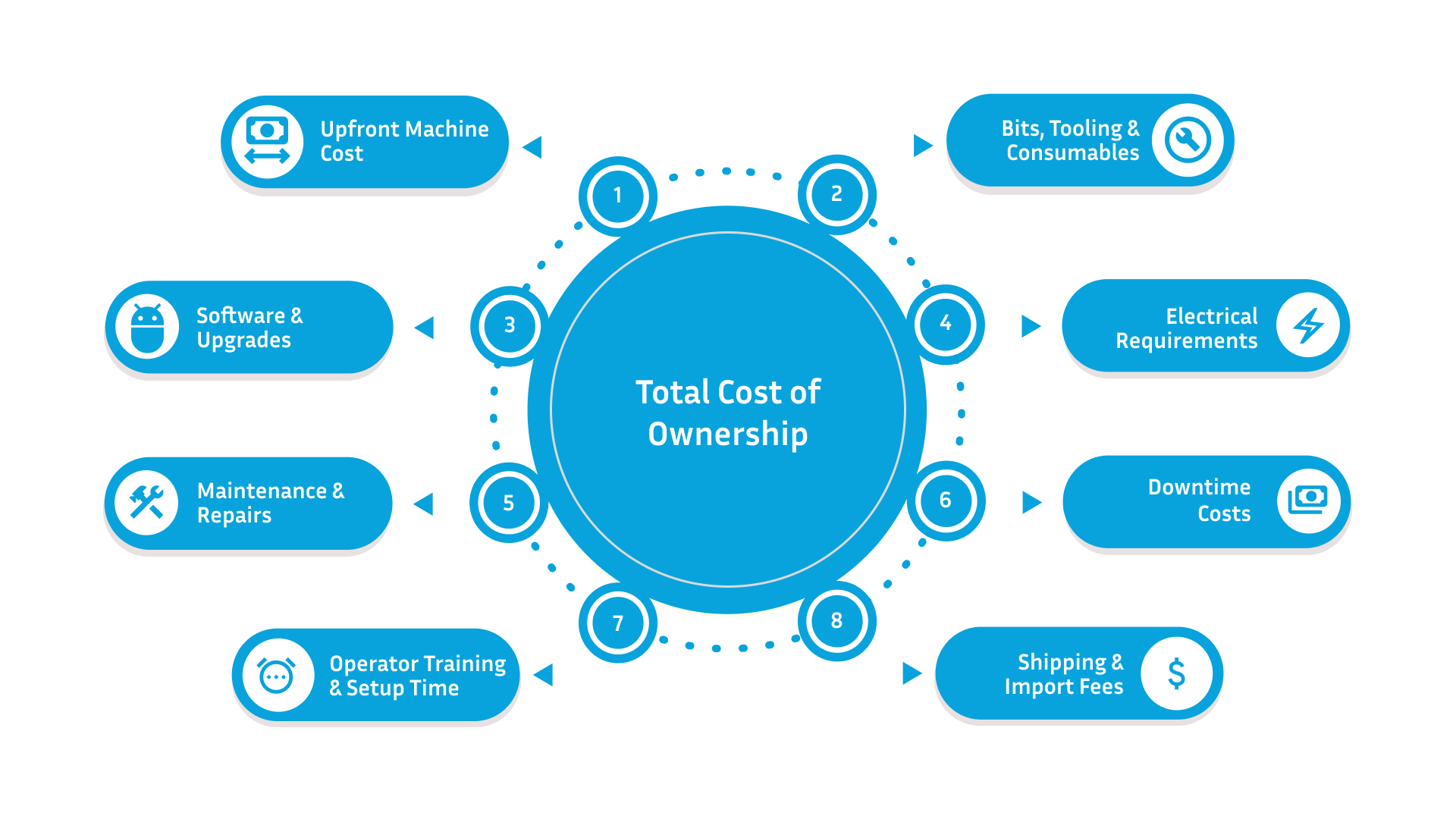
Here’s the complete picture, clearly broken down.
1. Upfront Machine Cost
The base price depends on size, motors, spindle, controller, and rigidity.
This is your biggest single expense, but not the only one.
2. Bits, Tooling & Consumables
Routers rely heavily on tooling.
Typical recurring costs:
End mills & bits
Collets & tool holders
Spoilboards
Lubrication/misting systems
Shops often spend $50–$300/month in tooling, depending on workload.
3. Software & Upgrades
Beyond the included controller, you may need:
CAD/CAM software (Fusion 360, VCarve, Aspire, SolidWorks CAM)
Paid upgrades for post processors
Annual licensing or subscription renewals
This adds $200–$2,000/year, depending on complexity.
4. Electrical Requirements
Many routers require:
220V circuits
Dedicated breakers
Potential panel upgrades
Surge protection
Electrical setup can cost $200–$2,500, depending on the shop.
5. Maintenance & Repairs
Essential for uptime and long machine life.
Includes:
Rail lubrication
Belt/ball screw adjustments
Spindle bearings
Motor/controller replacements
Expect $300–$2,000/year depending on use.
6. Downtime Costs
This is the silent expense most guides never mention.
Downtime affects:
Production schedules
Delivery timelines
Labor efficiency
Customer satisfaction
Industrial shops feel this the most.
A $60 bearing failure can cost $600+ in delayed output.
7. Operator Training & Setup Time
Whether in-house or external:
CAM workflow learning curve
Toolpath strategy
Material fixturing
Maintenance routines
Training can take hours to weeks, which is still a cost, even if indirect.
8. Shipping & Import Fees
Especially relevant for global buyers.
Costs include:
Freight
Crating
Duties
Customs
Local transport & unloading
This often adds 5–15% to the purchase price.
Mini Table: One-Time vs Recurring Costs
Cost Type | One-Time | Recurring |
|---|---|---|
Machine Purchase | ✔ | — |
Electrical Setup | ✔ | — |
Shipping/Import | ✔ | — |
Tooling & Bits | — | ✔ |
Software Licenses | — | ✔ |
Maintenance | — | ✔ |
Repairs | — | ✔ |
Operator Training | ✔ / Ongoing | ✔ (if staff changes) |
Downtime Losses | — | ✔ |
How to Choose the Right CNC Router (Simple 4-Step Decision Guide)
With so many price ranges and machine types, choosing the right CNC router can feel overwhelming. This quick 4-step framework helps you identify the right machine fast—without second-guessing your budget or buying something you’ll outgrow.
Step 1: What Materials Do You Cut?
This is the most important question.
Wood, MDF, plastics, foam, composites → Choose a CNC router.
Aluminum (light/moderate volumes) → Router or plasma, depending on finish needs.
Steel, stainless, thick aluminum → Plasma, not a router.
If your workflow involves metal fabrication even occasionally, you may not need an industrial router at all. A CNC plasma table will:
Cost less upfront
Cut thicker metal
Work faster
Require fewer consumables
Material defines the machine more than any other factor.
Step 2: What Working Area Do You Need?
Buying too small forces constant tiling and flipping. Buying too large an increase the cost unnecessarily.
General guidelines:
2x2 or 2x4: Hobby/DIY
4x4: Light commercial
4x8 or 5x10: Most professional shops
5x12+: Industrial production or large-format work
Pick a size that fits your largest regular job, not occasional oversized projects.
Step 3: What Level of Precision Matters?
Your accuracy needs determine the motor and drive system:
Basic detail → Stepper motors
Affordable, reliable, ideal for woodworking and signage.
High precision / long production runs → Servo motors
Fast, smooth, quiet, better repeatability, used in industrial machines.
If you routinely cut parts that must fit together perfectly, or work in composites/aluminum servo-driven routers are worth the investment.
Step 4: What’s Your Actual Budget?
Once you know your material, size, and precision needs, the price range becomes easy to define.
To avoid overpaying (or underbuying), always request multiple CNC router equipment quotes that list:
What’s included
What’s optional
Controller type
Motor type
Spindle specs
Warranty
Training/support
Lead time
Shipping/installation fees
Well-structured quotes let you compare machines apples-to-apples instead of guessing.
Pro Tip: A lower upfront price doesn’t always mean lower cost. Check TCO (tooling, software, dust systems, downtime) before deciding.
CEP Advantage (Only If You’re Cutting Metal)
If your work includes steel, stainless, thicker aluminum, brackets, gussets, or metal signage, a CNC plasma table is often the smarter, more affordable tool, and that’s where Cutting Edge Plasma comes in.
When a Router Isn’t the Right Tool → Plasma Is
Industrial routers capable of cutting metal reliably are large, expensive, and require powerful spindles, servo systems, and rigid frames. They easily reach $40,000–$75,000+.
For metal-focused workflows, plasma delivers:
Lower machine cost
Faster cut speeds
Minimal tooling expenses
Better performance on steel and stainless
Thicker cutting capacity
If metal is your priority, a router becomes the wrong investment.
CEP Specializes in CNC Machines Built for Metal Cutting
Cutting Edge Plasma designs CNC systems specifically for metal fabrication, not wood routing. Their machines focus on the factors that matter most when cutting steel, stainless, and aluminum plate:
Clean edges
Consistent torch height
Stable motion
Minimal slag and rework
High repeatability
These are the exact areas where plasma outperforms routers in metal applications.
Why CEP CNC Plasma Tables Stand Out
1. Industrial-Grade Rigidity
Heavy, welded steel frames eliminate vibration, producing cleaner edges and accurate parts even on thick plate.
2. Integrated Torch Height Control (THC)
Maintains perfect standoff distance across the sheet, critical for minimizing dross and ensuring consistent cut quality.
3. Anti-Dive Technology
Prevents the torch from dropping during slow moves (corners, holes), reducing gouging and eliminating bottom-edge burr buildup.
4. MyPlasma Motion Control System
Advanced CNC software with smooth interpolation, refined cornering, and precise lead-ins/lead-outs for cleaner results.
5. Standard Waterbed for Cleaner Cuts
Reduces heat distortion, suppresses fumes, minimizes slag formation, and significantly cuts down finishing time.
Cleaner Edges → Less Finishing → Lower Long-Term Cost
A cleaner cut means:
Less grinding
Less consumable use
Less operator fatigue
Faster production flow
Fewer rejected parts
Lower total cost of ownership
For metal fabricators comparing CNC router cost to plasma cost, CEP machines often deliver higher productivity at a lower price point.
Ready to See What You Can Save?
Explore how much cleaner and faster metal cutting can be:
Request a Quote to get exact pricing for your table size and workflow
Conclusion
Choosing the right CNC router comes down to understanding your materials, accuracy needs, and real long-term costs, not just the sticker price. Whether you’re buying your first machine or upgrading to handle bigger workloads, the smartest investment is the one that matches your workflow without locking you into unnecessary features or hidden expenses.
And if your work leans toward metal fabrication, it’s worth remembering that a CNC plasma table often delivers better performance, lower operating costs, and cleaner results than an industrial router.
That’s where Cutting Edge Plasma stands out: purpose-built systems designed for stable motion, consistent torch height, and clean edges that reduce finishing time.
Curious how CEP machines perform in real shops?
Read the Reviews and see what fabricators are saying before you decide.
FAQs
1. How much does a CNC router cost?
CNC routers typically cost $1,000–$150,000+, depending on size, spindle power, motor type, rigidity, controller quality, and optional features like ATC or vacuum tables. Most small business machines fall in the $5,000–$18,000 range.
2. Why do CNC routers have such a wide price range?
Prices vary because routers differ in table size, motor technology (stepper vs servo), spindle horsepower, frame rigidity, controller/software, and automation features. Industrial-grade components increase accuracy, lifespan, and duty cycle—raising cost.
3. Is a CNC router worth it for small businesses?
Yes. A CNC router can dramatically improve efficiency, consistency, and production capability for woodworking, sign-making, and light aluminum work. Small shops typically see ROI within 6–18 months, depending on workload and materials.
4. How much does it cost to maintain a CNC router?
Expect to spend $300–$2,000 per year on maintenance, tooling, and minor repairs. This includes bits, collets, spoilboards, lubrication, cleaning, and occasional spindle or motor service.
5. Should I buy a CNC router or a CNC plasma table for metal?
For steel, stainless, and thick aluminum, a CNC plasma table is more affordable, faster, and better suited than a router. Use a CNC router primarily for wood, plastic, foam, and composite materials.
6. How long does a CNC router last?
Lifespan depends on duty cycle and build quality:
Hobby routers: 3–5 years
Small-shop routers: 7–10 years
Industrial routers: 10–20+ years
Proper maintenance significantly extends longevity.