Every time your CNC machine sits idle unexpectedly, whether it's because a cut failed, the feed rate was wrong, or the toolpath was off, that’s money bleeding out of your operation. Research shows that up to 80% of manufacturing downtime is caused by preventable issues, many of which stem from errors in machine setup or programming.
While most shops rely on CAM software to generate G-code, having a basic understanding of this machine language can give you more control over your operations, reduce waste, and help you identify and fix issues before they cause costly delays.
In this blog, we will cover what G-code is, why it’s crucial for your shop, the key G-codes you should know, and how even a basic understanding can help optimize your CNC machine’s performance and reduce downtime.
What is G-code?
G-code, often referred to as the language of CNC machines, is the set of instructions that tells your CNC machine exactly how to move, cut, and shape materials.
At its core, G-code controls the movement of the machine’s tools, so that the job is done accurately and efficiently. It’s used in a variety of CNC systems, including plasma cutters, mills, routers, and even 3D printers.
These machines rely on G-code (acts like an instruction manual) to carry out precise tasks like cutting, drilling, engraving, or even complex 3D printing processes.
How G-Code Benefits Small Manufacturers and the Challenges to Consider
G‑code acts as the universal “instruction set” for CNC machines. For small and mid‑sized manufacturers, it turns design files into precise, repeatable manufacturing runs without heavy dependence on manual labor or advanced programming skills.
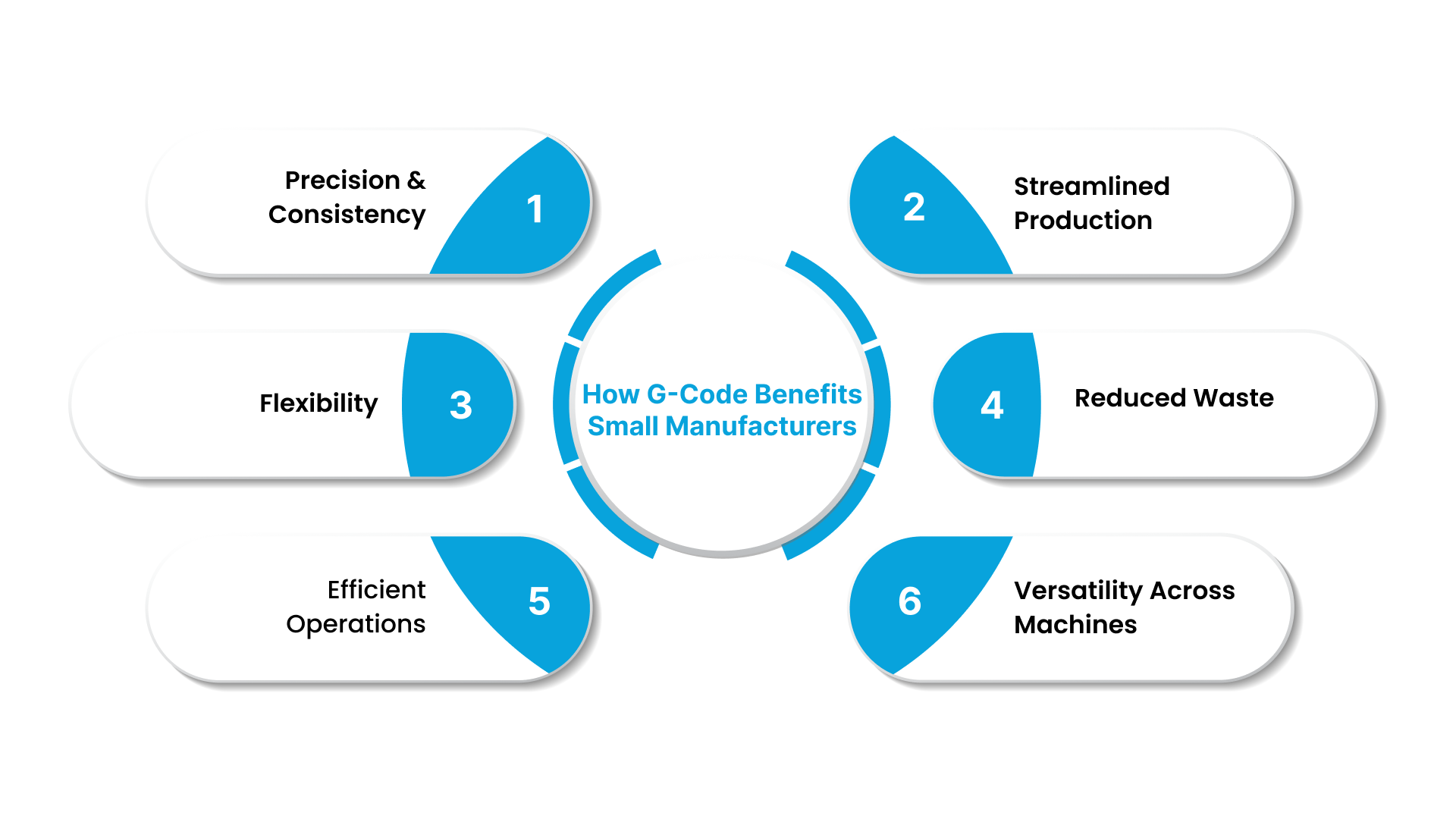
Precision & Consistency: G‑code directs CNC machines to make accurate, repeatable cuts, helping small manufacturers maintain consistent quality across parts.
Streamlined Production: It converts CAD designs into instructions, speeding up production and reducing reliance on manual work, ideal for small teams.
Flexibility: Small and mid-sized shops can easily switch between custom jobs and bulk orders, making G‑code useful for manufacturers with varied production needs.
Reduced Waste: By automating cuts and tool movements, G‑code cuts down on mistakes, scrap, and rework, saving materials and time.
Efficient Operations: Even without advanced programming skills, operators can run complex CNC machines, making G‑code essential for shops with limited technical expertise.
Versatility Across Machines: G‑code works with various CNC machines (plasma, routers, mills), offering flexibility for shops using different tools.
Challenges of Using G-Code
While G‑code is a powerful tool for CNC machining, it can be challenging for small manufacturers who lack specialized programming knowledge. The syntax of G‑code can be complex and difficult to grasp for beginners, and different CNC machines may have slightly varying interpretations of the code, which can cause confusion. Although G‑code automates many processes, it still requires manual adjustments for optimization, fine-tuning, and troubleshooting.
Additionally, the variability in G‑code between different CNC machines can lead to compatibility issues, particularly if a shop is using equipment from multiple brands or models.
Despite these challenges, Cutting Edge Plasma makes G‑code more accessible for small manufacturers. Their CNC plasma and router tables feature integrated torch height control (THC) and anti-dive technology that reduces the complexity of G‑code management, allowing you to produce high-quality parts with minimal programming expertise.
How G‑Code Actually Works Inside a CNC Machine: From Code to Cut
G‑code serves as the set of instructions that guides a CNC machine through each step of the manufacturing process. From defining tool movements to setting spindle speeds, the machine reads these commands line-by-line, converting them into precise mechanical actions.
G‑Code is a set of plain‑text instructions for CNC machines
G‑Code (short for “geometric code”) is the standard language used by CNC machines, 3D printers, routers, plasma cutters, mills, and similar tools to operate. Each line in a G‑Code file tells the machine exactly what to do, where to move, how fast to move, which path to follow, and when to start or stop cutting or spinning.
G‑Code acts as a bridge between design and machine action
Typically, a designer creates a part using CAD software. Then a CAM tool converts that design into G‑Code (and sometimes M‑Codes) that a CNC machine understands. This lets even complex shapes or multi-step operations be executed without manual guidance during every cut.
The machine controller reads G‑Code line by line, converting instructions into motion and actions
When the G‑Code file loads into a CNC controller, the controller interprets each command sequentially. It transforms those commands into electrical signals that drive motors, spindles, and other actuators.
For example, a line like G01 X50 Y30 F500 might tell the cutting head to move in a straight line to a point (50, 30) at a feed rate of 500 mm/min, so the machine moves precisely, cutting or shaping the material as intended.
G‑Code works alongside supplementary commands (M‑Codes) to manage machine functions beyond movement
While G‑Code defines geometry and movement, M‑Codes control other machine functions, like turning the spindle or torch ON/OFF, changing tools, controlling coolant, or pausing the program. Together, G‑Codes and M‑Codes form a complete instruction set to run a job: from positioning, cutting, tool changes, to finishing operations.
G‑Code is text‑based and machine‑agnostic (mostly), and it offers transparency and control
You can open a G‑Code file in a simple text editor, read or review instructions, and, with a basic understanding, even make small tweaks (e.g., adjust feed rate, change coordinates) before running the job. This transparency gives small or mid‑sized manufacturers a chance to inspect, verify, or tweak a job, preventing mistakes and reducing scrap.
This sequential, line-by-line execution follows a specific structure. Knowing how that structure breaks down helps you read what your machine is actually being told to do.
How a G‑code File Is Structured: Detailed Breakdown
G‑code consists of a combination of letters and numbers, where the numbers can have multiple digits. The spacing between the letter and the number can vary depending on the specific CNC machine being used.
Common G‑code commands include examples like ‘G00’, ‘F10’, and ‘M03’. While ‘G’ is the most frequently used letter in G‑code instructions, commands can start with different letters as well.
Each line in a G‑code program can contain several instructions, known as a G‑code block. The CNC machine reads these instructions in a sequential manner, from left to right and top to bottom, executing them step by step. Below are some of the key letters used in G‑code and their meanings:
G: General machine movements, such as linear or circular motions.
F: Feed rate, which defines the speed at which the tool moves.
T: Tool change, instructing the machine to change the current tool.
S: Spindle speed, specifying how fast the spindle should rotate.
X, Y, Z: Represent the three linear axes in the Cartesian coordinate system, indicating movement along each axis.
A, B, C: Represent the angular rotation axes, which control the machine's rotation around the X, Y, and Z axes.
These letters and numbers aren't random; each one controls a specific function. The table below shows exactly which commands handle which operations and why operators need to recognize the difference.
Different Types of G-Codes and Their Role in CNC Operations
Understanding the different types of G‑codes, such as positioning commands, speed commands, and machining operations, allows operators to optimize machine performance and reduce errors, leading to smoother production runs and higher-quality parts.
G-code Category | G-code | Description |
Positioning Commands | G00 | Rapid positioning of the machine tool to a specified location. |
G01 | Linear interpolation for controlled, straight-line motion. | |
G02 | Clockwise arc interpolation (used for circular or helical cuts). | |
G03 | Counter-clockwise arc interpolation (used for circular or helical cuts). | |
G90 | Use absolute coordinates, where all positions are referenced from a fixed origin. | |
Speed Commands | G08 - G09 | Increment or decrement speed settings. |
G93 - G95 | Define the units of linear feed (e.g., inches per minute, millimeters per minute). | |
G96 | Constant surface speed for turning operations. | |
G97 | Constant spindle speed control. | |
Machining Operation Commands | G81 | Simple drilling operation. |
G82 | Simple drilling with dwell (pause at depth for better hole finish). | |
G83 | Deep hole drilling with chip removal. | |
G84 | Tapping operation (for creating threads). | |
Offset Commands | G40 - G44 | Tool offset commands that adjust tool diameter or length. |
G53 - G59 | Work coordinate system offsets (setting machine origin and coordinate systems). | |
Miscellaneous Commands | G61 | Exact stop mode (machine halts at each motion command, useful for high-precision cuts). |
G04 | Wait time command pauses the machine for a specified time. | |
G80 - G89 | Describes machining processes (e.g., canned cycles for drilling, tapping, boring, etc.). |
Each command executes sequentially, and reading them correctly is how operators catch errors before they cost time and material.
How G‑Code Commands Are Read
When you load a G‑code file into a CNC machine, the controller reads it line by line. Each line, called a “block”, can contain one or more instructions that tell the machine exactly what to do: where to move, how to move, and when to activate tools or the spindle.
The example of a G-code block is - G01 X50 Y30 F200 S1200 M03
A breakdown of what this line means:
G01: instructs the machine to move the tool in a straight line at a controlled feed rate (linear interpolation).
X50 Y30: sets the target position: X = 50 units, Y = 30 units (coordinates based on the machine’s reference origin).
F200: defines the feed rate (i.e., the speed at which the tool moves) during the cut.
S1200: sets the spindle (or torch) speed — how fast the cutting tool or torch spins/operates.
M03: turns the spindle (or torch) ON (i.e, starts the cutting operation). M‑codes manage machine functions beyond movement.
The same G-code syntax works across different machines, but its application varies depending on the hardware. Here's how the same language adapts to milling, turning, plasma cutting, and beyond.
The Role of G‑Code in Different CNC Machines
G‑code serves as the primary “instruction language” for a wide range of CNC machines, with only slight variations in dialect depending on the machine. Let’s explore how G‑code is used in different CNC applications.
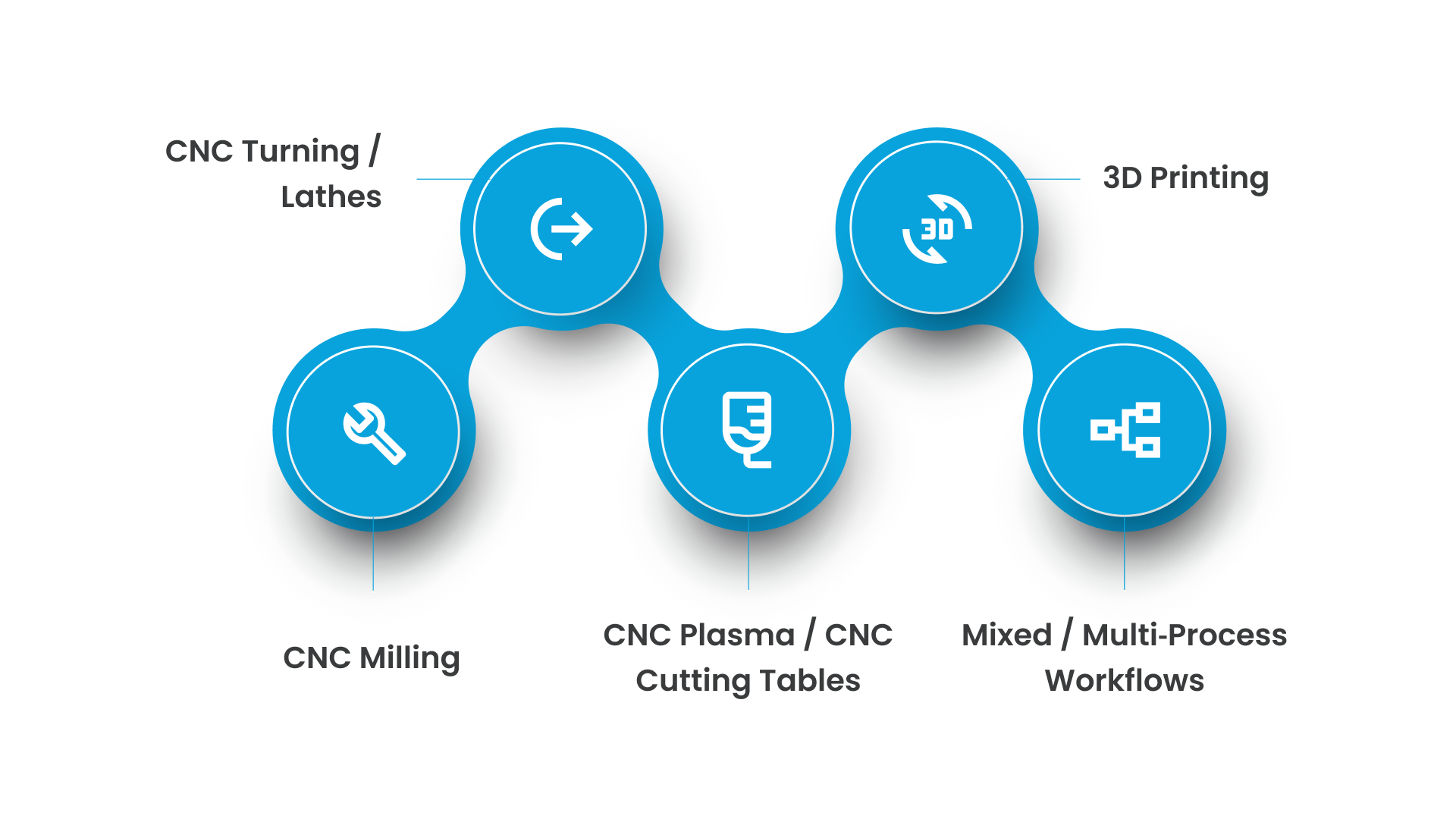
CNC Milling (Mills / Machining Centers / CNC Routers)
G‑code drives tool movement, cutting paths, and operations for milling machines, such as shaping metal, cutting profiles, drilling, or pocketing. It controls where the cutting tool moves (X, Y, Z axes), how fast it moves (feed rate), when to start/stop the spindle or tool, and how the tool moves around curves or arcs.
For manufacturers: This means once the G‑code is correctly generated, a milling machine can consistently produce identical parts with minimal human intervention.
CNC Turning / Lathes
In turning operations, G‑code controls the rotation of the workpiece and the movement of the cutting tool. It specifies how the lathe’s axes move and how the tool engages or disengages, enabling operations like facing, turning, threading, or boring.
For manufacturers: This allows operators to manufacture cylindrical or symmetrical parts, useful for shops producing shafts, rods, or turned components at volume or even in small batches.
CNC Plasma / CNC Cutting Tables (Sheet & Plate Cutting)
For plasma cutters or CNC cutting tables, G‑code defines the path the plasma torch should follow, the sequence of cuts, when to turn on/off the torch, and the speed of traversal for clean cut quality.
For manufacturers: This makes G‑code critical for fabricators handling sheet metal, plates, or structural components.
3D Printing (Additive Manufacturing)
Although not “traditional” machining, many 3D printers use G‑code (or variants) to interpret layer-by-layer instructions. In this context, G‑code controls the path of the print head or extruder and the rate of material deposition.
For manufacturers: Looking to prototype parts before cutting metal or to produce custom jigs/fixtures, this additive use of G‑code adds flexibility and design-to-part speed.
Mixed / Multi‑Process Workflows (Milling + Turning + Cutting + Additive)
Modern shops often use a mix of processes depending on the part or project. G‑code serves as a universal “instruction language,” enabling different machines (mills, lathes, plasma cutters, 3D printers) to interpret and execute designs, allowing the same design data to flow across different machines and operations.
For manufacturers: It reduces complexity, minimizes training, and allows a single operator (or small team) to handle diverse production tasks without needing different programming languages for each machine type.
Choosing equipment that simplifies G-code execution means the difference between wrestling with code and running efficient production. That's where machine design features become as important as the code itself.
Cutting Edge Plasma: CNC Tables Built for Real‑World G‑Code Work
Cutting Edge Plasma designs and builds CNC plasma and router tables that make G‑code‑driven fabrication simple and dependable. Their machines combine solid construction with user‑friendly features so even small and mid-sized manufacturers can get precise, repeatable cuts without deep programming expertise.
Core Features That Matter for Your Business
Fully welded, powder‑coated steel frame: provides structural stability and long life, even under repeated cut cycles.
Water‑bed and slat table design: helps manage dust, sparks, and debris produced during plasma cutting, making maintenance easier and the shop floor safer.
Rack-and-pinion drive with planetary gear reduction & dual rails: ensures smooth, accurate motion along axes, leading to consistent cuts even on long runs.
Integrated torch-height control (THC): automatically adjusts torch height based on material thickness or surface unevenness, reducing the chance of torch collisions or poor cut quality.
Lifetime technical support + 1‑year workmanship warranty: gives the manufacturer the confidence that they’ll get help when needed and reduces the risk of equipment downtime.
Conclusion
Understanding G‑code is essential for optimizing CNC machine performance, especially for small and mid‑sized manufacturers. By learning how G‑code controls movement, speed, and tool functions, manufacturers can reduce errors, improve consistency, and save valuable time and resources.
From simplifying production and increasing efficiency to minimizing downtime, mastering G‑code empowers operators to leverage the full potential of CNC machines, whether for milling, plasma cutting, or 3D printing. With G‑code, even small teams can achieve high precision and repeatability without extensive programming knowledge.
For those looking for reliable CNC plasma tables that make G‑code management simple, Cutting Edge Plasma offers a range of machines equipped with user‑friendly features like integrated torch height control and lifetime technical support. Contact us today to learn more about how our CNC systems can elevate your production efficiency!
FAQs
What are G-code files used for?
G-code files direct CNC machines by specifying tool movements, speeds, and actions to turn digital designs into physical parts.
Do all 3D printers use G-code?
Yes, most 3D printers use G-code to control the print head and guide the layer-by-layer printing process, though some may use variations.
Is G-code hard to learn?
G-code can be tricky for beginners, but with practice, basic commands and syntax become manageable, especially with modern CNC software.
What software generates G-code?
CAD and CAM software, like Fusion 360, SolidWorks, and AutoCAD, convert designs into G-code for CNC machines.
Can AI write G-code?
Yes, AI can generate G-code by analyzing designs and optimizing them for specific machining processes, automating parts of CNC programming.